Appearance
可视化的编辑器
基于 Web 的页面构建器,它让人们可以直观地通过「拖放方式」创建和编辑网页页面。它是一个开源的项目,支持主流浏览器,是一个用 JavaScript 和 CSS 开发的成熟的工具。
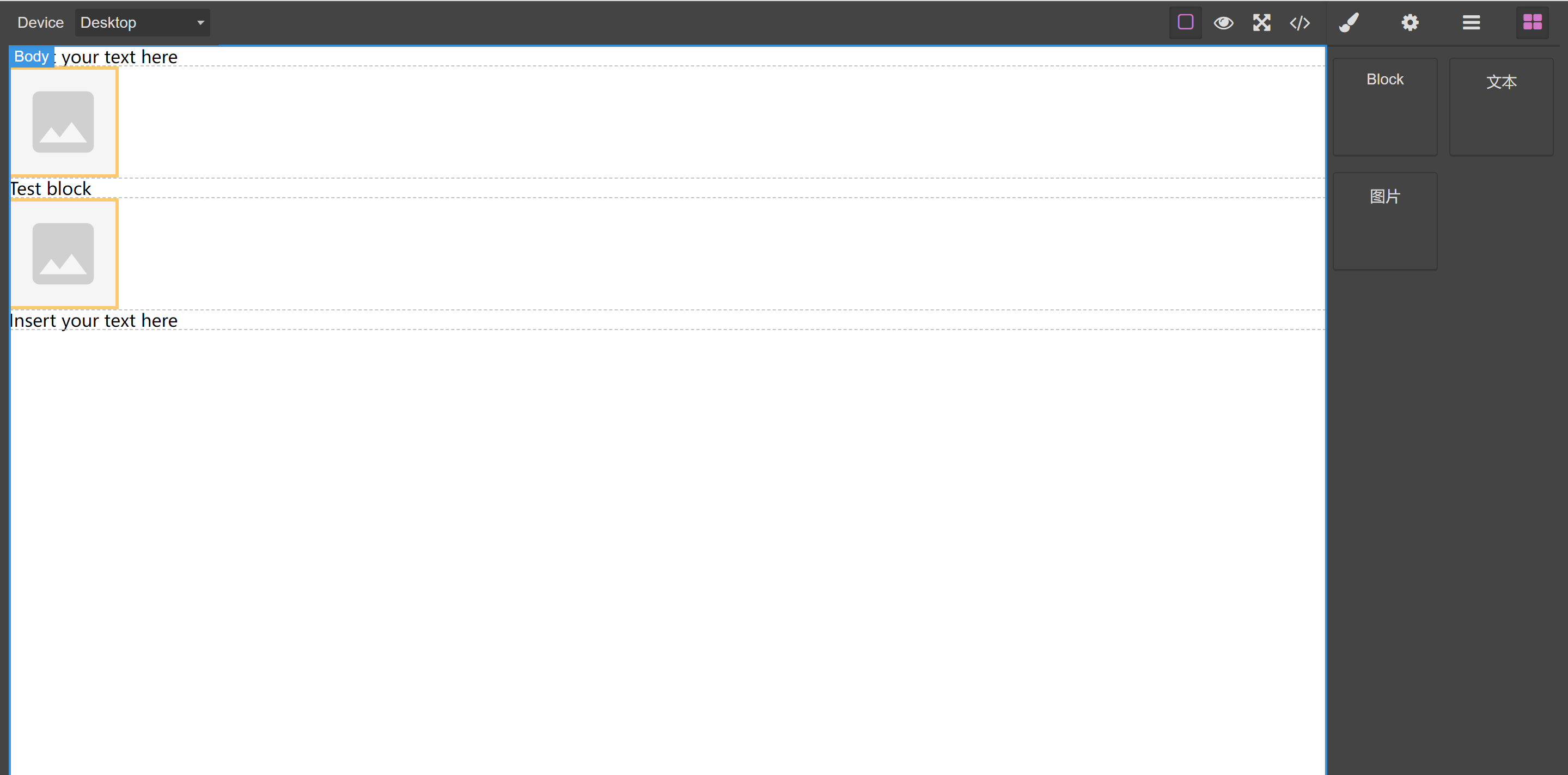
安装
npm i grapesjs引入
js
import 'grapesjs/dist/css/grapes.min.css';
import grapesjs from 'grapesjs';使用
html
<div id="gjs" style="height:0px; overflow:hidden;">
</div>js
const editor = grapesjs.init({
  showOffsets: 1,
  noticeOnUnload: 0,
  container: '#gjs',
  height: '100%',
  fromElement: true,
  storageManager: { autoload: 0 },
  styleManager : {
    sectors: [{
        name: 'General',
        open: false,
        buildProps: ['float', 'display', 'position', 'top', 'right', 'left', 'bottom']
      },{
        name: 'Flex',
        open: false,
        buildProps: ['flex-direction', 'flex-wrap', 'justify-content', 'align-items', 'align-content', 'order', 'flex-basis', 'flex-grow', 'flex-shrink', 'align-self']
      },{
        name: 'Dimension',
        open: false,
        buildProps: ['width', 'height', 'max-width', 'min-height', 'margin', 'padding'],
      },{
        name: 'Typography',
        open: false,
        buildProps: ['font-family', 'font-size', 'font-weight', 'letter-spacing', 'color', 'line-height', 'text-shadow'],
      },{
        name: 'Decorations',
        open: false,
        buildProps: ['border-radius-c', 'background-color', 'border-radius', 'border', 'box-shadow', 'background'],
      },{
        name: 'Extra',
        open: false,
        buildProps: ['transition', 'perspective', 'transform'],
      }
    ],
  },
});

editor.BlockManager.add('testBlock', {
  label: 'Block',
  content: `<div data-gjs-type="block">Test block</div>`
});
editor.BlockManager.add('text', {
  label: '文本',
  content: '<div data-gjs-type="text">Insert your text here</div>',
});
editor.BlockManager.add('image', {
  label: '图片',
  content: { type: 'image' },
});